
CrunchBang Backported - Instalação e Configuração
Veremos aqui a instalação e configuração desta que, para mim, é a melhor derivação do Debian, o CrunchBang.
[ Hits: 33.460 ]
Por: edps em 18/05/2012 | Blog: https://edpsblog.wordpress.com/

Configuração e Extras
Configurações
Veremos agora, os passos referentes à configuração do CrunchBang num NetBook Acer Aspire One.... e finalmente me livrei do Lubuntu!
Bem pessoal, a frase acima pode parecer arrogante, mas não é esta a intenção, até porque o Lubuntu é uma boa distro, mas, estranhamente após um grande upgrade completo, o desempenho do sistema foi se degradando, passei a ter problemas com as conexões Wi-Fi no Wicd, etc e por isso resolvi trocá-lo por outra distro mais 'light'.
Nada melhor que um Linux quase cru, para uma máquina com poucos recursos e isso é o que o CrunchBang é; um Debian muito bem pré- configurado, rápido e leve.
A outra alternativa para este NetBook seria o ArchBang, ambos são facilitadores, porque pulam a parte da longa instalação e configuração via NetInstall de Debian e Arch e vêm bem completas.
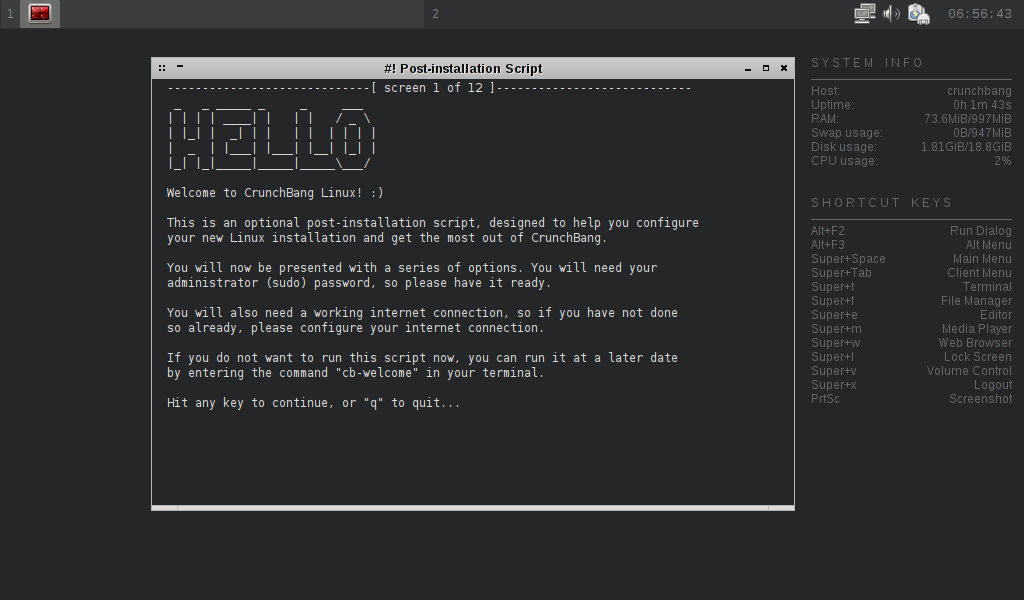
Tela do pós-login:
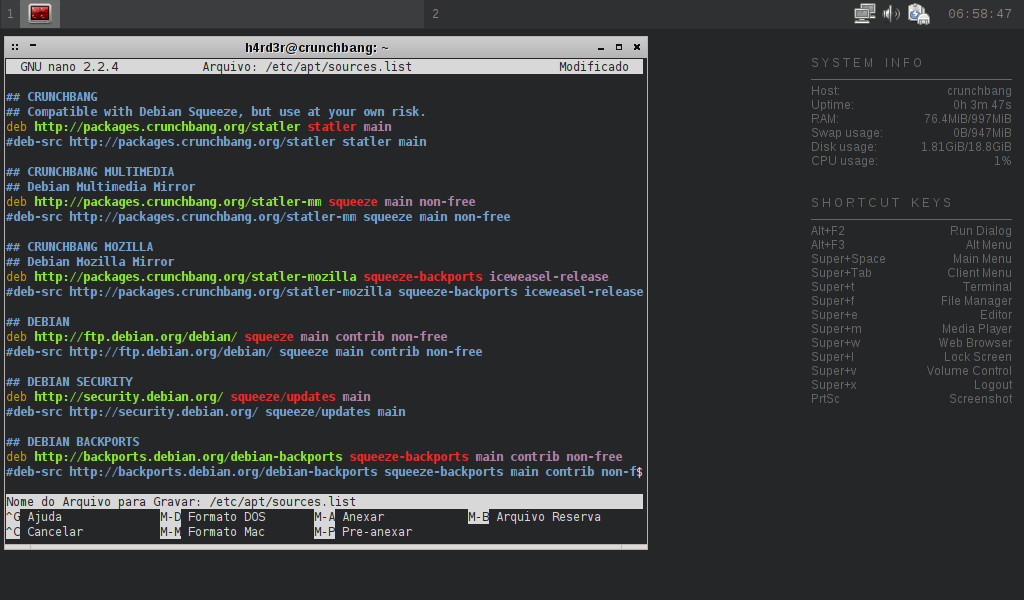
A única alteração necessária foi a ativação do repositório Multimedia, então, para tal digitem:
sudo nano /etc/apt/sources.list
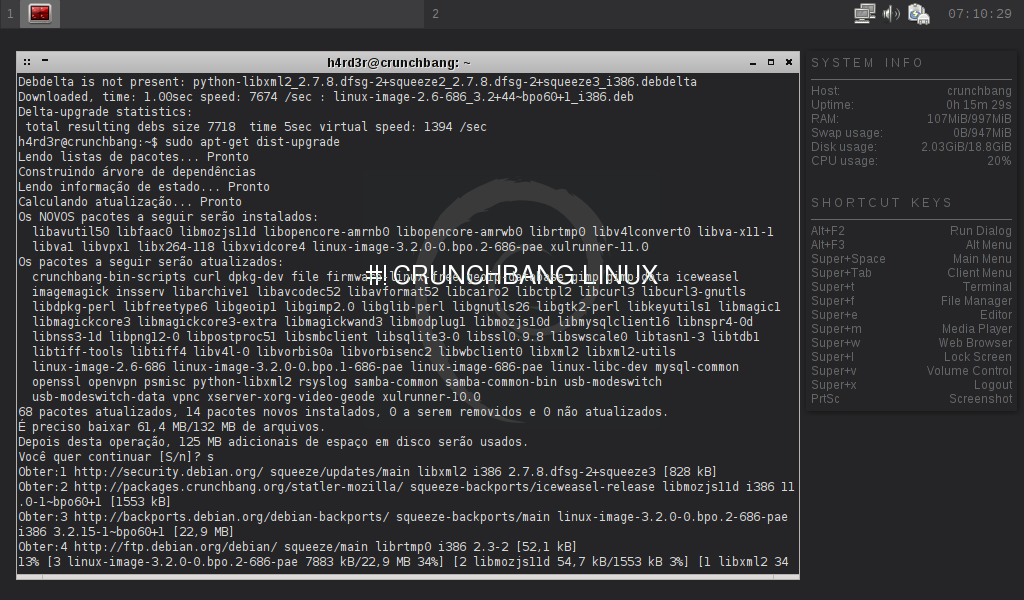
* Instalem o Debdelta antes!...
sudo apt-get update
$ sudo apt-get install debdelta
$ sudo debdelta-upgrade
$ sudo apt-get dist-upgrade
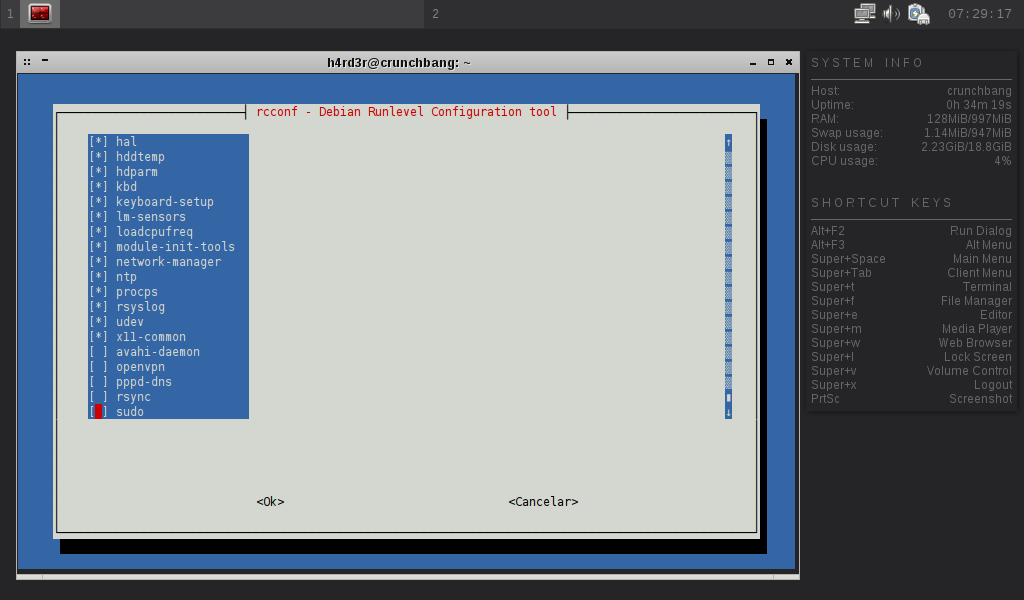
* Desativei também o Bluetooth!
sudo apt-get install rcconf
$ sudo rcconf
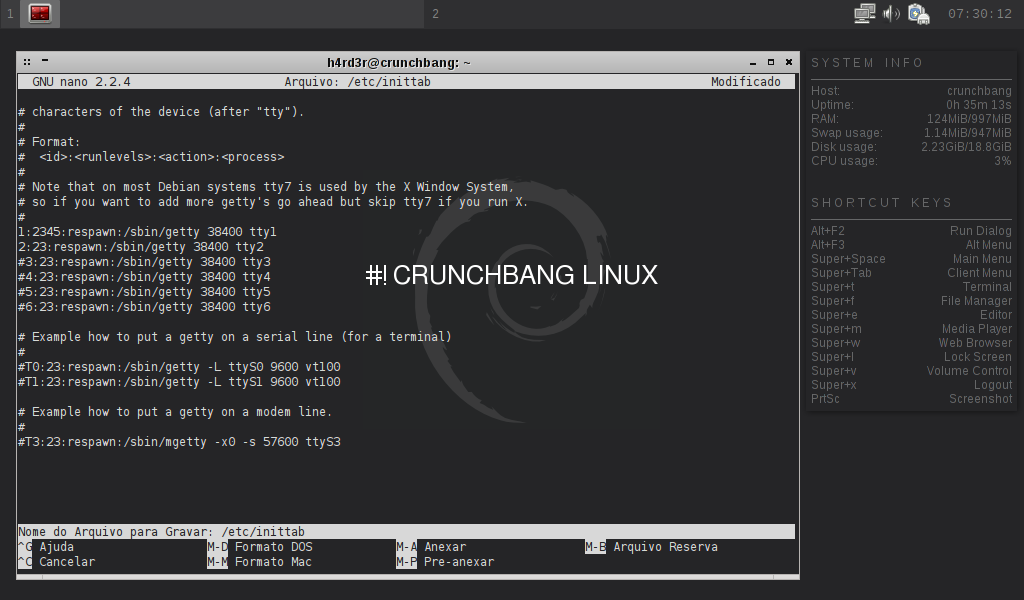
sudo nano /etc/inittab
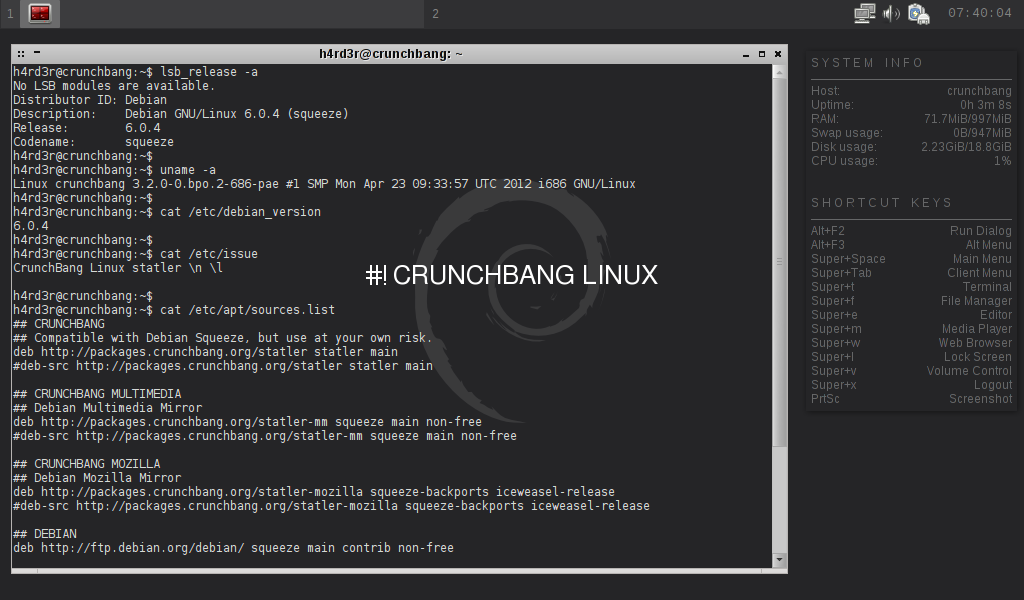
lsb_release -a
$ uname -a
$ cat /etc/debian_version
$ cat /etc/issue
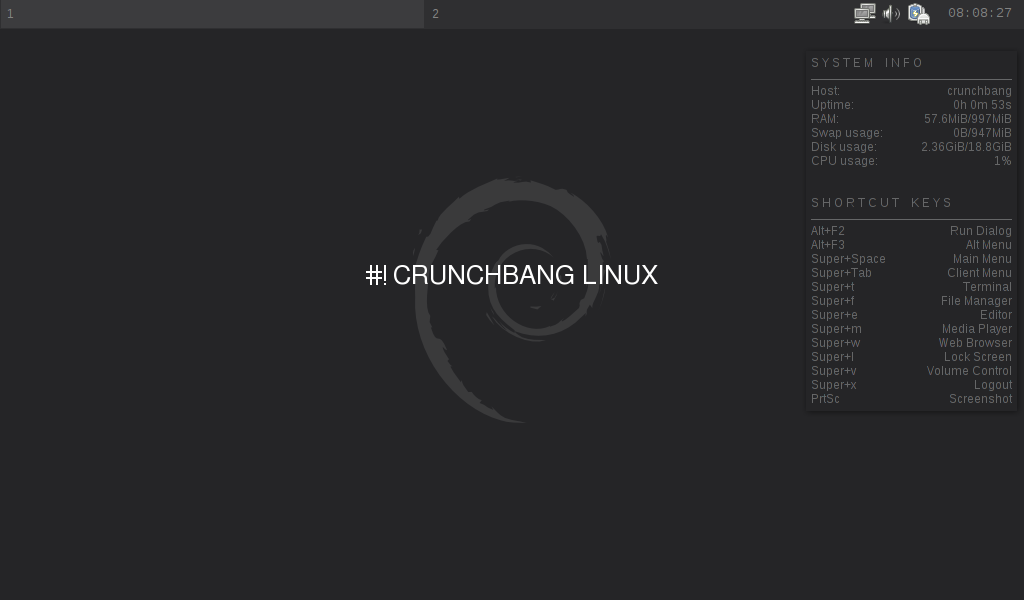
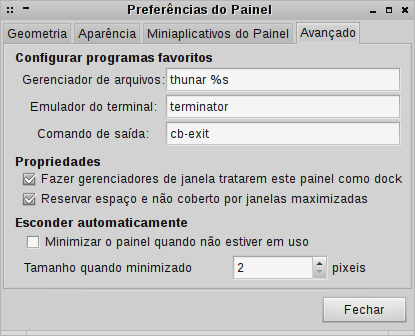
Devido ao excesso de simplicidade do menu OpenBox, que não mostra todas as Apps instaladas, substitui o Tint2 pelo Lxpanel>
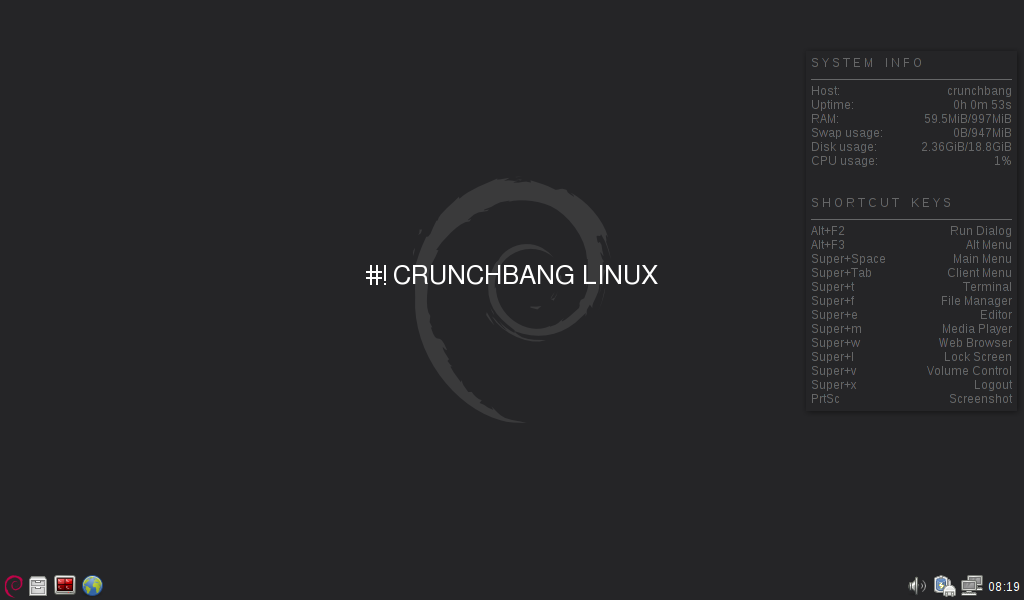
Sugestão de configuração para o Lxpanel:
Conky
Caso o Conky fique sobre as janelas, alterem no arquivo "~/.conkyrc", a linha:Por:
Autostart para o OpenBox (já modificado):
## Openbox autostart.sh
## ====================
## When you login to your CrunchBang Openbox session, this autostart script
## will be executed to set-up your environment and launch any applications
## you want to run at startup.
##
## More information about this can be found at:
## http://openbox.org/wiki/Help:Autostart
##
## If you do something cool with your autostart script and you think others
## could benefit from your hack, please consider sharing it at:
## http://crunchbanglinux.org/forums/
##
## Have fun! :)

## Start session manager
lxsession &

## Enable power management
xfce4-power-manager &

## Start Thunar Daemon
thunar --daemon &

## Set desktop wallpaper
nitrogen --restore &

## Launch panel (desabilitado!)
## tint2 &

## Lxpanel (substituto do Tint2).
lxpanel &

## Enable Eyecandy - off by default, uncomment one of the commands below.
## Note: cairo-compmgr prefers a sleep delay, else it tends to produce
## odd shadows/quirks around tint2 & Conky.
(sleep 10s && cb-compmgr --cairo-compmgr) &
## cb-compmgr --xcompmgr &

## Launch network manager applet
(sleep 4s && nm-applet) &

## Detect and configure touchpad. See 'man synclient' for more info.
if egrep -iq 'touchpad' /proc/bus/input/devices; then
    synclient VertEdgeScroll=1 &
    synclient TapButton1=1 &
fi

## Start xscreensaver
xscreensaver -no-splash &

## Start Conky after a slight delay
(sleep 3s && conky -q) &

## Start volumeicon after a slight delay
(sleep 3s && volumeicon) &

#
# daqui para baixo todos desabilitados!
#

## Start Clipboard manager
## (sleep 3s && parcellite) &

## Bad Nautilus, minimises the impact of running Nautilus under
## an Openbox session by applying some gconf settings. Safe to delete.

## cb-bad-nautilus &
## The following command runs hacks and fixes for #! LiveCD sessions.
## Safe to delete after installation.
## cb-cowpowers &

## cb-welcome - post-installation script, will not run in a live session and
## only runs once. Safe to remove.
## (sleep 10s && cb-welcome --firstrun) &

## cb-fortune - have Statler say a little adage
## (sleep 120s && cb-fortune) &
Autologin no GDM
Clique no Menu do OpenBox > System > User Login SettingsVá na aba 'Usuários' e no campo 'Incluir', clique em 'Adicionar' e insira seu nome de usuário.
. . . A seguir, vá na aba 'Segurança' e marque a opção 'Habilitar início automático de Sessão', e especifique seu usuário, pronto!
Extras
Caso sintam necessidade em personalizá-lo ainda mais, sugiro a leitura dos links abaixo:- Artigo: Debian Squeeze Backports
- Artigo: Configurando um Super OpenBox
- Artigo: Obshutdown - Shutdown Menu para OpenBox
- Artigo: O bashrc de meu Debian
- Artigo: Debian SID OpenBox LightDM e XFS
- .Conf: Sources.List
- Dica: Painel Tint2 com Lancadores de Aplicativos
- Dica: Terminator - O Terminal
- Dica: Terminator - Comandos Customizados
- Dica: Repositorios Extras para o Debian Squeeze
O conteúdo deste artigo, foi publicado em meu Blog em 2 postagens:
Um abraço!
2. Instalação - Parte I
3. Instalação - Parte II
4. Configuração e Extras
Instalação do Debian em partição ReiserFS
Kernel atualizado no Debian - Parte II
KDE Plasma no Slackware Current
Truques úteis de linha de comando Linux para iniciantes
Gnu/Linux em 30mb e 2 arquivos
Arredondando o Ubuntu em seu desktop
Excelente artigo, muito bem escrito e como sempre bastante didático. Interessante o consumo inicial de RAM, favoritado!
Valeu Levi,
o #! tem como sua maior vantagem a instalação de um sistema Debian rápida e leve! daí para aqueles que não curtirem OpenBox é um pulo para instalar outros ambientes.
Um abraço.
Ótimo trabalho!!!
Passo-a-passo bem descrito e elaborado. Como sempre, mandou bem!
Mais um Debian-like pra galera se aventurar.
Gostei da distro e do suporte do site.
Abrasss
sources.list recomendada para o CrunchBang:
* nesse .conf adicionei o novo endereço do Debian Multimedia, que teve sua denominação e repositório modificado, maiores detalhes em:
http://gnu2all.blogspot.com.br/2012/05/notas-sobre-o-debian.html
## CrunchBang.
deb http://packages.crunchbang.org/statler statler main
## CrunchBang Multimedia.
deb http://packages.crunchbang.org/statler-mm squeeze main non-free
## CrunchBang Mozilla.
deb http://packages.crunchbang.org/statler-mozilla squeeze-backports iceweasel-release
## Debian Squeeze
deb http://ftp.debian.org/debian/ squeeze main contrib non-free
## Debian Squeeze Security.
deb http://security.debian.org/ squeeze/updates main
## Debian Squeeze Backports.
deb http://backports.debian.org/debian-backports squeeze-backports main contrib non-free
## Debian Squeeze Multimedia.
deb http://www.deb-multimedia.org squeeze main non-free
Fico curioso sobre quais os critérios para comparar uma distro com outra.
Quando é a opinião de um ususário com conhecimento de leigo, a coisa vai pelo coração, mas quando um expert emite uma opinião, desperta curiosidade dos leigos e linuxers diletantes.
Artigo nota 10.
@bakunin, obrigado por comentar.
em relação a comparar distros, me vejo na mesma situação que a maioria dos usuários, a minha opinião reflete minhas experiências pessoais com essa ou aquela distro, logico que tenho uma certa preferência por usar Debian ou um de seus derivados diretos.
no artigo citei o Lubuntu, que de inicio funcionou muito bem, mas não sei se é devido aos seus pacotes serem menos testados que os do Debian, o fato é que após um upgrade completo a tal leveza foi embora! rsrs
um abraço.
Parabéns @Edinaldo pelo tutorial. Estou usando desde o ano passado o debian-netinstall mais o script cb-wellcome do crunchbang, é um desktop perfeito. Da uma olhada na minha screen - http://dl.dropbox.com/u/1021562/debian%2Bopenbox.png
@edps, artigo nota 10 * 10 = 100, com objetividade e clareza, marca registrado do Edinaldo, parabéns, acompanho sempre seus artigos aqui e no blog. Os debian e debian-likes quais são os serviços da inicialização que podem ser desabilitados com segurança sem que tragam problemas ao sistema, reduzindo consumo de memória.
@clickbr, muito show sua screen rapaz, se estivesse na seção de shots do VOL tenho certeza que estaria nos favoritos de muita gente!
Um abraço.
@elcapelao, obrigado pelo comentário brother, para desativar qualquer serviço vai depender do que você faz uso no sistema, eu por exemplo desabilito:
sudo, portmap, rsync, avahi-daemon, bluetooth, pppd-dns, openvpn,
mas se você não usa impressora, scanner e etc pode desabilitar o 'cups', o 'sanned'
e se não faz questão de outros:
acpid, lm-sensors, loadcpufreq, cpufrequtils, fancontrol, hddtemp, atd
* o exim4 por exemplo eu simplesmente removo!
http://www.vivaolinux.com.br/topico/Debian/Inicializacao-Debian-1
Outras coisas que você pode ver:
http://www.vivaolinux.com.br/topico/Linux-Mint/Desativar-servicos-desnecessarios/
Um abraço!
@Edinaldo ta aqui a screen http://www.vivaolinux.com.br/screenshot/Openbox-debian/
Abs!
Ok rapaz, já deixei um comentário na sua shot.
Valeu!
Compilação de um kermel light para o #!:
http://migre.me/9bs3T
Só para eu compreender uma coisa, o Crushbang usa qual DM? Não consegui decifrar pelos prints. Pelo que li é o FluxBox, porem essa interface está mais para um XFce que qualquer outra coisa.
É isso aí, o WM (Gerenciador de Janelas) é o OpenBox, e o Gerenciador de Login, o Gdm2.
Antigamente o #! oferecia duas versões, uma com OpenBox e a outra com XFCE, essa última foi abandonada com o lançamento do #!Statler, a primeira versão baseada no Debian, antes o #! baseava-se no Ubuntu.
@Edinaldo veja se você pode me ajudar, estou usando o gtk-recordMyDesktop no crunchbang, mais estou com problemas, naquela seleção transparente que fica na frente do vídeo, tentei clicar em Avançado, mais não abre estas opções. Será um bug do openbox ou do meu driver nvidia?
Dados placa de vídeo: nforce 6 series / nforce610i / geforce7050
Instalei assim:
# aptitude -fy install module-assistant nvidia-kernel-common
# m-a auto-install nvidia-kernel${VERSION}-source
# apt-get install nvidia-glx${VERSION}
# apt-get install nvidia-xconfig nvidia-settings
# nvidia-xconfig
@clickbr, aqui não tive esse problema, os dados da minha Nvidia:
$ lspci
...
05:00.0 VGA compatible controller: nVidia Corporation G96 [GeForce 9400 GT] (rev a1)
$ glxinfo | grep render
direct rendering: Yes
OpenGL renderer string: GeForce 9400 GT/PCI/SSE2/3DNOW!
GL_NV_conditional_render, GL_NV_copy_depth_to_color, GL_NV_copy_image,
GL_NV_path_rendering, GL_NV_pixel_data_range, GL_NV_point_sprite,
GL_NVX_conditional_render, GL_NVX_gpu_memory_info, GL_OES_depth24,
GL_OES_fbo_render_mipmap, GL_OES_get_program_binary, GL_OES_mapbuffer,
$ glxinfo | grep direct
direct rendering: Yes
GL_EXT_Cg_shader, GL_EXT_depth_bounds_test, GL_EXT_direct_state_access,
$ glxinfo | grep OpenGL
OpenGL vendor string: NVIDIA Corporation
OpenGL renderer string: GeForce 9400 GT/PCI/SSE2/3DNOW!
OpenGL version string: 3.3.0 NVIDIA 275.36
OpenGL shading language version string: 3.30 NVIDIA via Cg compiler
OpenGL extensions:
$ lsb_release -a
No LSB modules are available.
Distributor ID: Debian
Description: Debian GNU/Linux 6.0.5 (squeeze)
Release: 6.0.5
Codename: squeeze
Porque você não instala seguindo os passos desse meu artigo:
http://vivaolinux.com.br/artigo/LMDE-Xfce-Instalacao-configuracao-e-extras/?pagina=4
$ sudo apt-get install build-essential dkms
$ sudo apt-get install nvidia-glx nvidia-kernel-dkms nvidia-vdpau-driver nvidia-settings nvidia-xconfig
pelo terminal com o comando recordmydesktop, me apresenta estes erros:
--
X Error: BadAccess (attempt to access private resource denied)
Bad Access on XGrabKey.
--
Estou pesquisando para achar uma solução! De todas formas vou averiguar com este dkms. Obrigado!
@Edinaldo conferi as info da Nvidia com a sua, estão iguais, aparentemente ela está corretamente instalada, inclusive a resolução e os vídeos, rodam muito bem.
@Edinaldo, sem sair do meu tema do recordmydesktop =), este seu tuto serve também para rodar o compiz no openbox? Eu não queria mudar o theme do openbox, só instalar os efeitos do compiz.
# http://www.vivaolinux.com.br/dica/Emerald-+-Compiz-no-Debian
Lamento quanto aos seus problemas com esse programa.
Quanto ao Compiz, ele não rola no OpenBox pois ambos são gerenciadores de janelas (WMs), é um ou outro!
O que você pode fazer é usar o cairo-compmgr ou xcompmgr para usar composite no OpenBox.
Um abraço.
@Edinaldo, eu já uso o xcompmgr no autostart.sh com estes parâmetros,
# xcompmgr -fF -c -t-5 -l-5 -r4.2 -o.55 -D2 -m.83 &
Será que existe um parâmetro para adicionar neste comando com a transparência fixa de 20% sem precisar estar selecionando cada janela, através do menu setting>compositing>set target to transparency 20%?
@Edinaldo, recordmydesktop solucionado. No seu lugar instalei o xvidcap e se acabaram os problemas.
E ai meu amigo! Tudo bem? Uma Dúvida. Como faço para deixar os Efeitos do xcompmgr Iniciando por padrão? Descomentei a Linha e mesmo assim continua sem iniciar (Detalhe CrunchBang Waldorf)
@corrosiotears, no autostart do OpenBox existe isso referente ao composite:
## Enable Eyecandy - off by default, uncomment one of the commands below.
## Note: cairo-compmgr prefers a sleep delay, else it tends to produce
## odd shadows/quirks around tint2 & Conky.
## (sleep 10s && cb-compmgr --cairo-compmgr) &
## cb-compmgr --xcompmgr &
Minha sugestão a você é que instale|use o cairo-compmgr, disponível nos repos do #! e troque esses comando acima por e somente:
(sleep 10s && cairo-compmgr) &
ou
cairo-compmgr &
Meu autostart do OpenBox está numa postagem do Blog:
http://gnu2all.blogspot.com.br/2012/06/startup-para-openbox.html
Mas a questão primordial é: seu xorg está com a opção 'composite' habilitada?
Section "Extensions"
Option "Composite" "Enable"
EndSection
fonte:
http://urukrama.wordpress.com/openbox-guide/#xcompmgr
Um abraço.
Seu artigo esta perfeito, parabéns. Gostaria de instalar o Crunchbang em um pen-drive, sem utilizar o Grub, ou seja, dando boot direto pelo pen-drive. Já fiz várias tentativas, usando as informações encontradas na Internet, mas não consegui fazer com que funcionasse. Você teria alguma informação que pudesse usar? grato, Eduardo.
Patrocínio

Destaques
Artigos
SynapSeq - programa para estimular as ondas cerebrais
Por que seu __DIR__ falhou ou o "inferno" dos caminhos no PHP
Preparando-se para certificações da LPI através do LPI Lab
Migração de Arch Linux para repositórios CachyOS (Uso de Instruções v3 e v4)
Dicas
As diferencas entre o clipboard comum e a selecao ativa
Arch Linux com repos do CachyOS para otimização ou usar Gentoo?
Ativando o modo Quake no XFCE4-Terminal
[Tutorial] Configurando Multimaster no Samba 4 AD (DC02) + Explicação de FSMO Roles
Tópicos
Abrir um arquivo URL pelo Clipper (2)
Como instalar Warsaw no Gentoo? (7)
Senhor Einstein tinha razão mesmo! [RESOLVIDO] (12)
Como insiro e excluo um elemento XML e JSON ao código Javascript (2)
Da pra formatar um netbook MGB e usar algum linux nele? É possível usa... (4)
Top 10 do mês
-

Xerxes
1° lugar - 134.910 pts -

Fábio Berbert de Paula
2° lugar - 69.468 pts -

Buckminster
3° lugar - 44.952 pts -

Alberto Federman Neto.
4° lugar - 36.429 pts -

Alessandro de Oliveira Faria (A.K.A. CABELO)
5° lugar - 24.280 pts -

edps
6° lugar - 23.049 pts -

Daniel Lara Souza
7° lugar - 22.124 pts -

Sidnei Serra
8° lugar - 21.917 pts -

Mauricio Ferrari (LinuxProativo)
9° lugar - 20.677 pts -

Andre (pinduvoz)
10° lugar - 17.017 pts
Scripts

A maior comunidade GNU/Linux da América Latina! Artigos, dicas, tutoriais, fórum, scripts e muito mais. Ideal para quem busca auto-ajuda.
Site hospedado por:
