
Opera Developer no Slackware

Publicado por edps em 04/05/2015
[ Hits: 4.964 ]
Blog: https://edpsblog.wordpress.com/

Opera Developer no Slackware
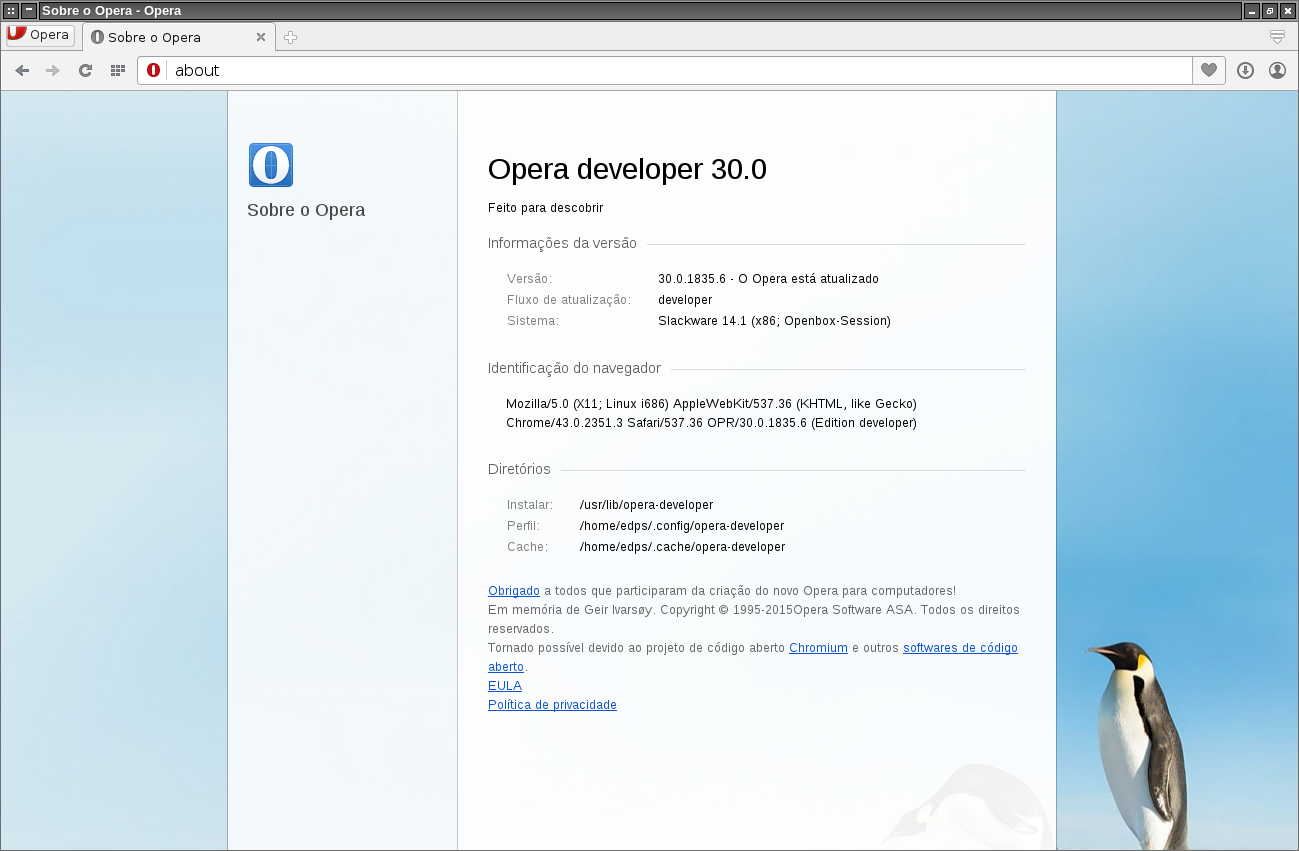
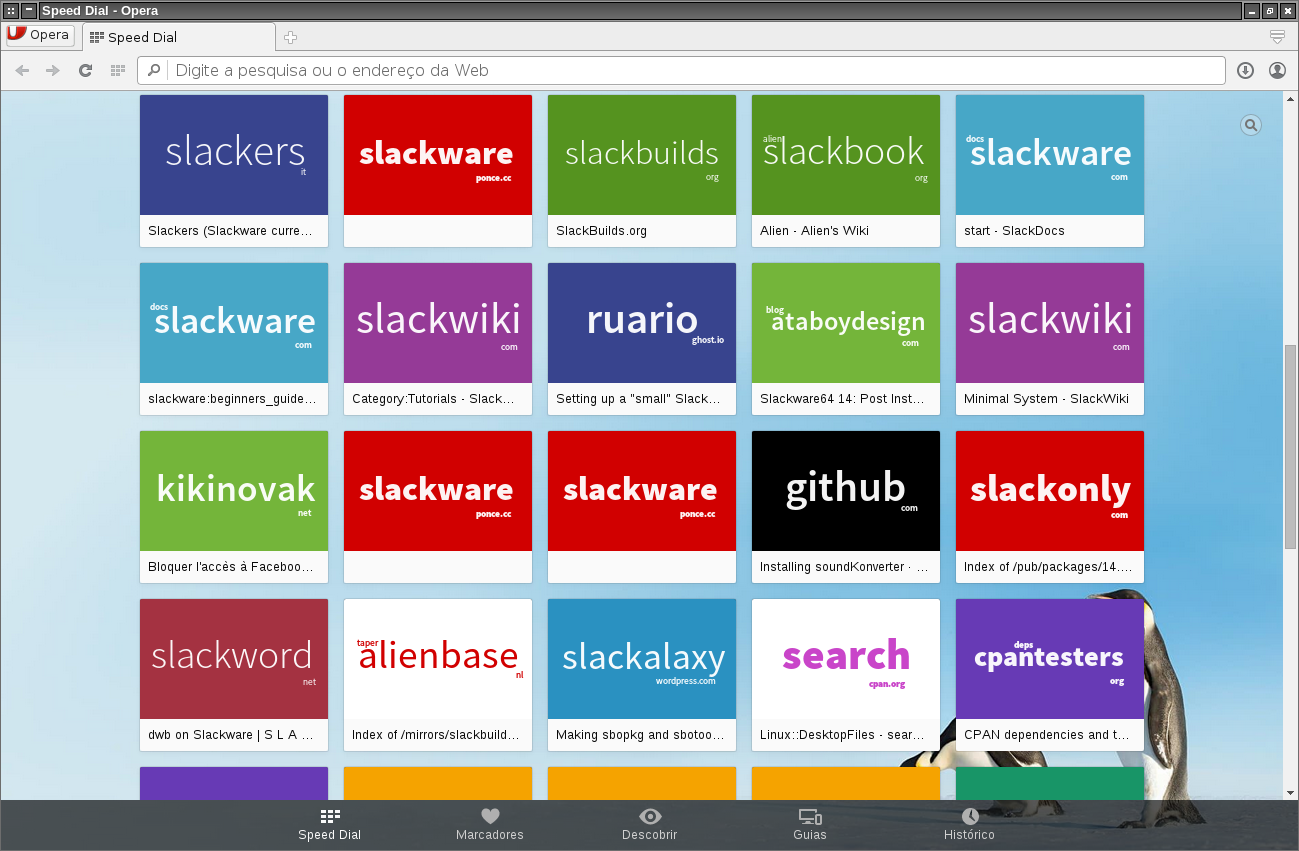
Abaixo veremos o conteúdo do script que aqui salvei em minha pasta $HOME/bin, salve-o onde desejar e com o nome que achar melhor, aqui usei o mesmo nome da dica a ser referenciada, ou seja, "latest-opera.sh", segue o script:
#!/bin/bash
# latest-opera Version 2.0RC3

# This script will find the latest Opera Developer binary package,
# download it and repackage it into Slackware format.

# Copyright 2015 Ruari Oedegaard, Oslo, Norway
# All rights reserved.
#
# Redistribution and use of this script, with or without modification, is
# permitted provided that the following conditions are met:
#
# 1. Redistributions of this script must retain the above copyright
#    notice, this list of conditions and the following disclaimer.
#
# THIS SOFTWARE IS PROVIDED BY THE COPYRIGHT HOLDERS AND CONTRIBUTORS
# "AS IS" AND ANY EXPRESS OR IMPLIED WARRANTIES, INCLUDING, BUT NOT
# LIMITED TO, THE IMPLIED WARRANTIES OF MERCHANTABILITY AND FITNESS FOR
# A PARTICULAR PURPOSE ARE DISCLAIMED. IN NO EVENT SHALL THE COPYRIGHT
# HOLDER BE LIABLE FOR ANY DIRECT, INDIRECT, INCIDENTAL, SPECIAL,
# EXEMPLARY, OR CONSEQUENTIAL DAMAGES (INCLUDING, BUT NOT LIMITED TO,
# PROCUREMENT OF SUBSTITUTE GOODS OR SERVICES; LOSS OF USE, DATA, OR
# PROFITS; OR BUSINESS INTERRUPTION) HOWEVER CAUSED AND ON ANY THEORY OF
# LIABILITY, WHETHER IN CONTRACT, STRICT LIABILITY, OR TORT (INCLUDING
# NEGLIGENCE OR OTHERWISE) ARISING IN ANY WAY OUT OF THE USE OF THIS
# SOFTWARE, EVEN IF ADVISED OF THE POSSIBILITY OF SUCH DAMAGE.

#
# now, version 30.0.1835.6 on Slackware.
# changes by edps: http://edpsblog.wordpress.com
#

# Check if the user asked for auto-install
if [ "$1" = "-i" -o "$1" = "--install" ]; then
  if [ "$UID" = "0" ]; then
    AUTO_INSTALL=Y
  else
    echo "You must be root to auto-install, $1 ignored!" >&2
    AUTO_INSTALL=N
  fi
else
  AUTO_INSTALL=N
fi

# Use the architecture of the current machine or whatever the user has
# set externally
ARCH=${ARCH:-$(uname -m)}
case "$ARCH" in
  x86_64) DEBARCH=amd64; LIBDIRSUFFIX="64" ;;
    i?86) DEBARCH=i386;  LIBDIRSUFFIX="" ;;
       *) echo "The architecture $ARCH is not supported." >&2 ; exit 1 ;;
esac

# Work out the latest stable Opera if VERSION is unset
VERSION=$(wget -qO- http://deb.opera.com/opera/dists/stable/non-free/binary-$DEBARCH/Packages.gz | gzip -d | grep -A1 -x "Package: opera-developer" | sed -n "/Version/s/.* //p")

# Error out if $VERISON is unset, e.g. because previous command failed
if [ -z $VERSION ]; then
  echo "Could not work out the latest version; exiting" >&2
  exit 1
fi

# Don't start repackaging if the same version is already installed
if /bin/ls /var/log/packages/opera-$VERSION-* >/dev/null 2>&1 ; then
  echo "Opera ($VERSION) is already installed; exiting"
  exit 0
fi

CWD=$(pwd)
TMP=${TMP:-/tmp}
OUTPUT=${OUTPUT:-/tmp}
BUILD=${BUILD:-1}
# TAG=${TAG:-ro} ### set TAG to default _SBo:
TAG=${TAG:-_SBo}
# PKGTYPE=${PKGTYPE:-tgz} ### set crompression format to .txz:
PKGTYPE=${PKGTYPE:-txz}
PACKAGE="$OUTPUT/opera-$VERSION-$ARCH-$BUILD$TAG.$PKGTYPE"
OPERA_DEB=opera-developer_${VERSION}_${DEBARCH}.deb

# If the package was made previously, no need to make it again. ;)
if [ -e "$PACKAGE" ]; then
  echo "$PACKAGE already exists; exiting"
  exit 0
fi

REPACKDIR=$TMP/repackage-opera-developer

# Define this script's name as we will copy into doc directory later on
SCRIPT="${0##*/}"

# This function can be used in place of Slackware's makepkg, with the
# added bonus that it is able to make packages with root owned files
# even when run as a regular user.
mkpkg() {
  if [ "$1" = "-n" ]; then
    TAROWNER=""
    shift 1
  else
    TAROWNER="--group 0 --owner 0"
  fi
  if find * -type l | grep -qm1 .; then
    mkdir -p install
    find * -type l -printf '( cd %h ; rm -rf %f )\n( cd %h ; ln -sf %l %f )\n' -delete > install/symlinks
    if [ -f "install/doinst.sh" ]; then
      printf '\n' | cat - install/doinst.sh >> install/symlinks
    fi
    mv install/symlinks install/doinst.sh
  fi
  case "$1" in
    *tbz) cmp=bzip2 ;;
    *tgz) cmp=gzip ;;
    *tlz) cmp=lzma ;;
    *txz) cmp=xz ;;
    *) echo "Unknown compression type" >&2 ; exit 1 ;;
  esac
  tar cvvf - . --format gnu --xform 'sx^\./\(.\)x\1x' --show-stored-names $TAROWNER | $cmp > "$1"
  echo "Slackware package \"$1\" created."
}

# Since packaging is about to begin errors become more important now,
# so exit if things fail.
set -eu

# If the repackage is already present from the past, clear it down
# and re-create it.
if [ -d "$REPACKDIR" ]; then
  rm -fr "$REPACKDIR"
fi

mkdir -p "$REPACKDIR"/{pkg/install,src}

# Save a copy if this script but remove execute persmissions as it will
# later be moved into the doc directory.
install -m 644 "${0}" "$REPACKDIR/src/$SCRIPT"

# Check if the current directory contains the Opera binary package,
# otherwise download it.
if [ -e $OPERA_DEB ]; then
  cp $OPERA_DEB "$REPACKDIR/src/"
else
  wget -c -P "$REPACKDIR/src" http://deb.opera.com/opera/pool/non-free/o/opera-developer/$OPERA_DEB
fi

# Now we have all the sources in place, switch to the package directory
# and start setting things up.
cd "$REPACKDIR/pkg"

# Extract the contents of the Opera binary package
ar p "../src/$OPERA_DEB" data.tar.xz | xz -d | tar -xf- \
  --transform="s,/lib/.*-linux-gnu,/lib$LIBDIRSUFFIX," \
  --exclude="./usr/share/lintian" --exclude="./usr/share/menu"

# Move any doc directory to the correct Slackware location
if [ -d usr/share/doc ]; then
  mv usr/share/doc usr/
  find usr/doc -maxdepth 1 -type d -name "opera*" -exec mv {} usr/doc/tmp \;
fi
mkdir -p usr/doc/tmp
mv usr/doc/tmp usr/doc/opera-$VERSION

# Copy this script into the doc directory
mkdir -p usr/doc/opera-$VERSION
cp ../src/$SCRIPT usr/doc/opera-$VERSION/$SCRIPT

# Now create the post-install to register the desktop file and icons.
cat <<EOS> install/doinst.sh
# Setup menu entries
if command -v update-desktop-database >/dev/null 2>&1; then
  update-desktop-database -q usr/share/applications
fi

# Setup icons
touch -c usr/share/icons/hicolor
if command -v gtk-update-icon-cache >/dev/null 2>&1; then
  gtk-update-icon-cache -tq usr/share/icons/hicolor
fi
EOS

# Create a description file inside the package.
cat <<EOD> install/slack-desc
     |-----handy-ruler------------------------------------------------------|
opera: opera (Fast and secure web browser)
opera:
opera: Opera is a fast, secure, and user-friendly web browser. It includes
opera: web developer tools, news aggregation, and the ability to compress
opera: data via Opera Turbo on congested networks.
opera:
opera:
opera:
opera:
opera: Homepage:  http://www.opera.com/computer/linux
opera:
EOD

# Make sure the file permissions are ok
chmod -R u+w,go+r-w,a-s .

# opera_sandbox needs to be setuid root for Opera to run
# chmod 4711 usr/lib$LIBDIRSUFFIX/opera/opera_sandbox ### modify by follow line:
find . -name 'opera_sandbox' -exec chmod 4711 {} \;

# Create the Slackware package
# mkpkg "$PACKAGE" ### modify by follow line:
makepkg -l y -c n "$PACKAGE"

# Install if the user requested it
if [ $AUTO_INSTALL = "Y" ]; then
  /sbin/upgradepkg --install-new "$PACKAGE"
fi
Fiz apenas algumas pequenas modificações no script (não removendo nada de seu conteúdo original), são elas:
1) TAG=${TAG:-_SBo}
2) PKGTYPE=${PKGTYPE:-txz}
3) find . -name 'opera_sandbox' -exec chmod 4711 {} \;
4) makepkg -l y -c n "$PACKAGE"
1) Altera a TAG padrão para o já tradicional _SBo (pode ser qualquer uma).
2) Modifica o formato de compressão para o .txz (economiza espaço em disco).
3) Previne erro no empacotamento ao executar o comando chmod.
4) Modifica o esquema de empacotamento do makepkg.
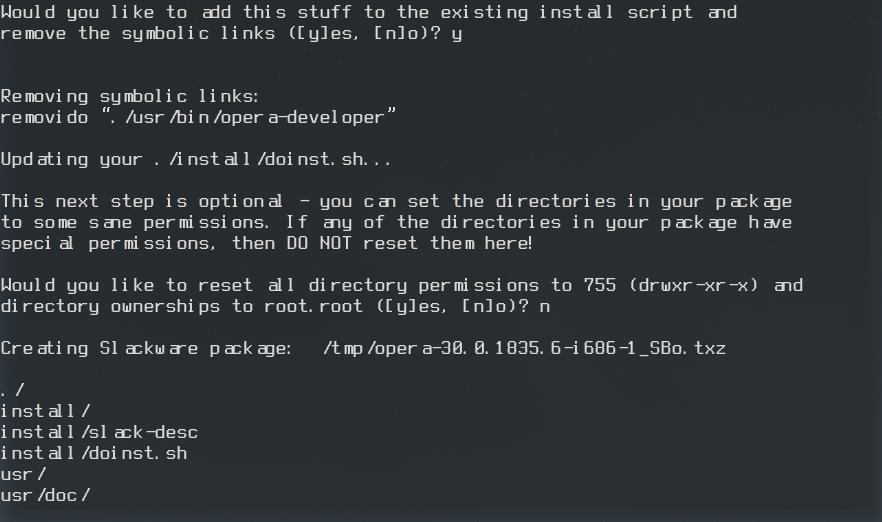
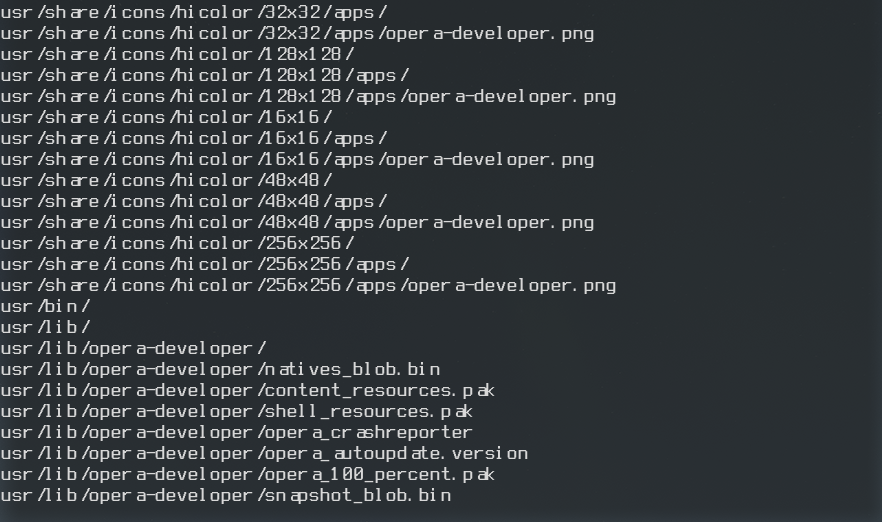
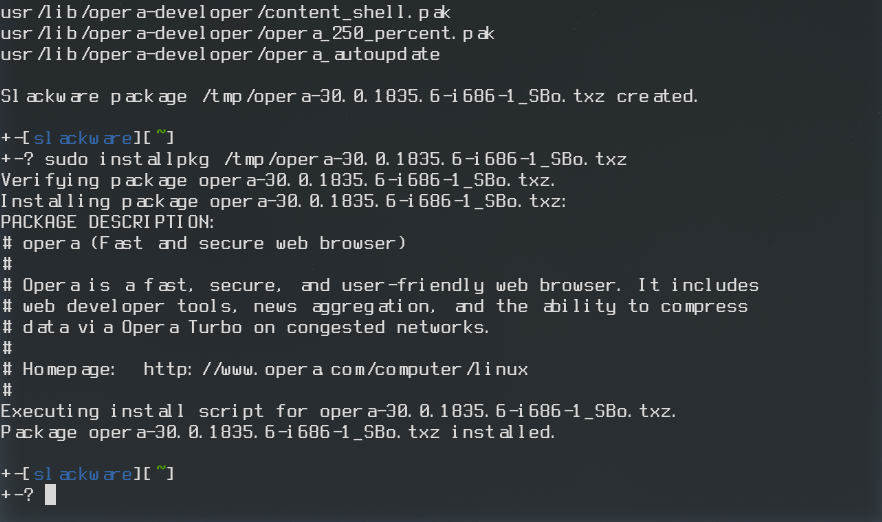
Após salvar e dar permissão de execução ao script, execute-o:
sudo latest-opera.sh
$ sudo installpkg /tmp/opera-*.txz
Blacklist
Caso você já tenha o velho navegador Opera 12.16 instalado, o Slackpkg acusará a existência de 2 pacotes com o mesmo nome (embora usem pastas diferentes), aí bastará adicioná-lo no arquivo /etc/slackpkg/blacklist:sudo slackpkg upgrade-all
Checking local integrity... DONE
You have a broken /var/log/packages - with two versions of the same package.
The list of packages duplicated in your machine are shown below, but don't
worry about this list - when you select your action, slackpkg will show a
better list:
opera-12.16-i686-1_SBo
opera-30.0.1835.6-i686-1_SBo
You can (B)lacklist, (R)emove, or (I)gnore these packages.
Select your action (B/R/I): B
Vejam como ficou o arquivo:
cat /etc/slackpkg/blacklist
# upgraded, removed, or installed by slackpkg.
#
# The correct syntax is:
#
# To blacklist the package xorg-server-1.6.3-x86_64-1 the line will be:
# xorg-server
#
# DON'T put any space(s) before or after the package name or regexp.
# If you do this, the blacklist will NOT work.
#
# Automated upgrade of kernel packages aren't a good idea (and you need to
# run "lilo" after upgrade). If you think the same, uncomment the lines
# below
#
#kernel-firmware
#kernel-generic
#kernel-generic-smp
#kernel-headers
#kernel-huge
#kernel-huge-smp
#kernel-modules
#kernel-modules-smp
#kernel-source
#
# aaa_elflibs can't be updated.
#
#aaa_elflibs
# You can blacklist using regular expressions.
#
# Don't use *full* regex here, because all of the following
# will be checked for the regex: series, name, version, arch,
# build and fullname.
#
# This one will blacklist all SBo packages:
#[0-9]+_SBo
[0-9]+_rlw
opera
Eu realmente gosto do Opera 12.16 por causa do cliente de email e da rapidez (se comparado a qualquer outro), mas para aqueles que não curtem, melhor remover a velha versão e usar a mais recente bem mais compatível com qualquer site.
De ruim nessa estória de Opera novo, Vivaldi etc é que ambos precisam do pacote pepperflash-plugin do Chrome|Chromium, que no Slack vocês podem obter através do links abaixo:
- http://www.slackware.com/~alien/slackbuilds/chromium/
- http://www.slackware.com/~alien/slackbuilds/chromium-widevine-plugin/
- http://www.slackware.com/~alien/slackbuilds/chromium-pepperflash-plugin/
Referências:
- Script :: empacotando o Opera Developer no Slackware « Mundo GNU
- Installing Opera on distributions other than Debian, Ubuntu or derivatives
Até a próxima!
Fedora: adicionando outras Distribuições Linux no Grub2
Adicionando fontes no Arch Linux
Acelerando (ainda mais) a abertura do LibreOffice
Habilitando o preview de áudio do Nautilus no Debian
Instalação do driver da nVidia no sidux
Skype 4 no Ubuntu 12.04 - Problema com instalação [RESOLVIDO]
Instalando 2 Conkys com fundo transparente no KDE e removendo o flicker da tela
Reproduzindo arquivo MOV no openSUSE 11.3 64 bits com SMPlayer
Opera developer existe para Sabayon e Gentoo também, estou testando junto com o Vivaldi.
¨¨¨¨¨¨¨¨¨¨¨¨¨¨¨¨¨¨¨¨¨¨¨¨¨¨¨¨¨¨¨¨¨¨¨¨¨¨¨¨¨¨¨¨¨¨¨¨¨¨¨¨¨¨¨¨¨¨¨¨¨¨¨¨¨¨¨¨¨¨¨¨¨¨¨¨¨¨¨¨¨¨¨¨¨¨¨¨¨¨¨¨
Albfneto,
Ribeirão Preto, S.P., Brasil.
Usuário Linux, Linux Counter: #479903.
Distros Favoritas: [i] Sabayon, Gentoo, OpenSUSE, Mageia e OpenMandriva[/i].
[1] Comentário enviado por albfneto em 04/05/2015 - 18:35h
Opera developer existe para Sabayon e Gentoo também, estou testando junto com o Vivaldi.
¨¨¨¨¨¨¨¨¨¨¨¨¨¨¨¨¨¨¨¨¨¨¨¨¨¨¨¨¨¨¨¨¨¨¨¨¨¨¨¨¨¨¨¨¨¨¨¨¨¨¨¨¨¨¨¨¨¨¨¨¨¨¨¨¨¨¨¨¨¨¨¨¨¨¨¨¨¨¨¨¨¨¨¨¨¨¨¨¨¨¨¨
Albfneto,
Ribeirão Preto, S.P., Brasil.
Usuário Linux, Linux Counter: #479903.
Distros Favoritas: [i] Sabayon, Gentoo, OpenSUSE, Mageia e OpenMandriva[/i].
O chato dessa coisa de versões é que não dá para simplesmente usar o nome "opera" para criar o SlackBuild, até criei um aqui e testamos eu (o i686) e o @ru4n (o amd64), mas o site SlackBuilds tem umas chatices com os nomes -snapshot, -developer, etc tanto é que o SlackBuild do Vivaldi, ficou somente como vivaldi.
Falando sobre o Opera, acho tanto ele como o Vivaldi bem melhores que os horrorosos Chrome|Chromium que infelizmente tenho que ter aqui por causa do NetFlix.
ADENDO:
Aos usuários do Slackware, peço que desconsiderem todo o conteúdo desta dica e sigam o artigo abaixo:
https://edpsblog.wordpress.com/2016/10/08/how-to-opera-developer-no-slackware/
Patrocínio

Destaques
Artigos
O Editor de Texto Nano: Simplicidade no Terminal
SynapSeq - programa para estimular as ondas cerebrais
Por que seu __DIR__ falhou ou o "inferno" dos caminhos no PHP
Preparando-se para certificações da LPI através do LPI Lab
Migração de Arch Linux para repositórios CachyOS (Uso de Instruções v3 e v4)
Dicas
Jogando "Magic" gratuitamente no Linux
Zoxide e fzf no bash para incrementar o uso do Terminal
As diferencas entre o clipboard comum e a selecao ativa
Arch Linux com repos do CachyOS para otimização ou usar Gentoo?
Tópicos
Eu aprendi o segredo das artes! hahaha (4)
A falsa sensação de que entende a tal da palavra! (0)
Como instalo o Clipper/Harbour no Linux Ubuntu (0)
Top 10 do mês
-

Xerxes
1° lugar - 136.679 pts -

Fábio Berbert de Paula
2° lugar - 68.567 pts -

Buckminster
3° lugar - 46.720 pts -

Alberto Federman Neto.
4° lugar - 36.771 pts -

Alessandro de Oliveira Faria (A.K.A. CABELO)
5° lugar - 23.713 pts -

edps
6° lugar - 23.431 pts -

Sidnei Serra
7° lugar - 22.752 pts -

Daniel Lara Souza
8° lugar - 21.917 pts -

Mauricio Ferrari (LinuxProativo)
9° lugar - 20.839 pts -

Andre (pinduvoz)
10° lugar - 17.536 pts
Scripts

A maior comunidade GNU/Linux da América Latina! Artigos, dicas, tutoriais, fórum, scripts e muito mais. Ideal para quem busca auto-ajuda.
Site hospedado por:
